
Commercial Security Installation is our Specialty!
We are the number 1 Installers for Commercial Alarm and Security Systems!
High Tech Solutions Specializing in Video Monitoring and Alarm Installation!
Northeast Remote Surveillance leads with Over 20 Years Experience!

Commercial Security Planning for Pennsylvania Businesses

This website is a legacy educational and support resource for businesses researching commercial security systems in Pennsylvania.

Northeast Remote Surveillance and Alarm, LLC has provided commercial and industrial security installation, integration, monitoring, upgrades, and support since 2008. NERSA works with organizations that need dependable security systems designed around their buildings, operations, employees, visitors, assets, and long-term service requirements.

This feeder site provides introductory guidance. For complete system design, installation, monitoring, upgrades, and regional service information, continue to Commercial and Industrial Security Systems in Pennsylvania and the Mid-Atlantic.

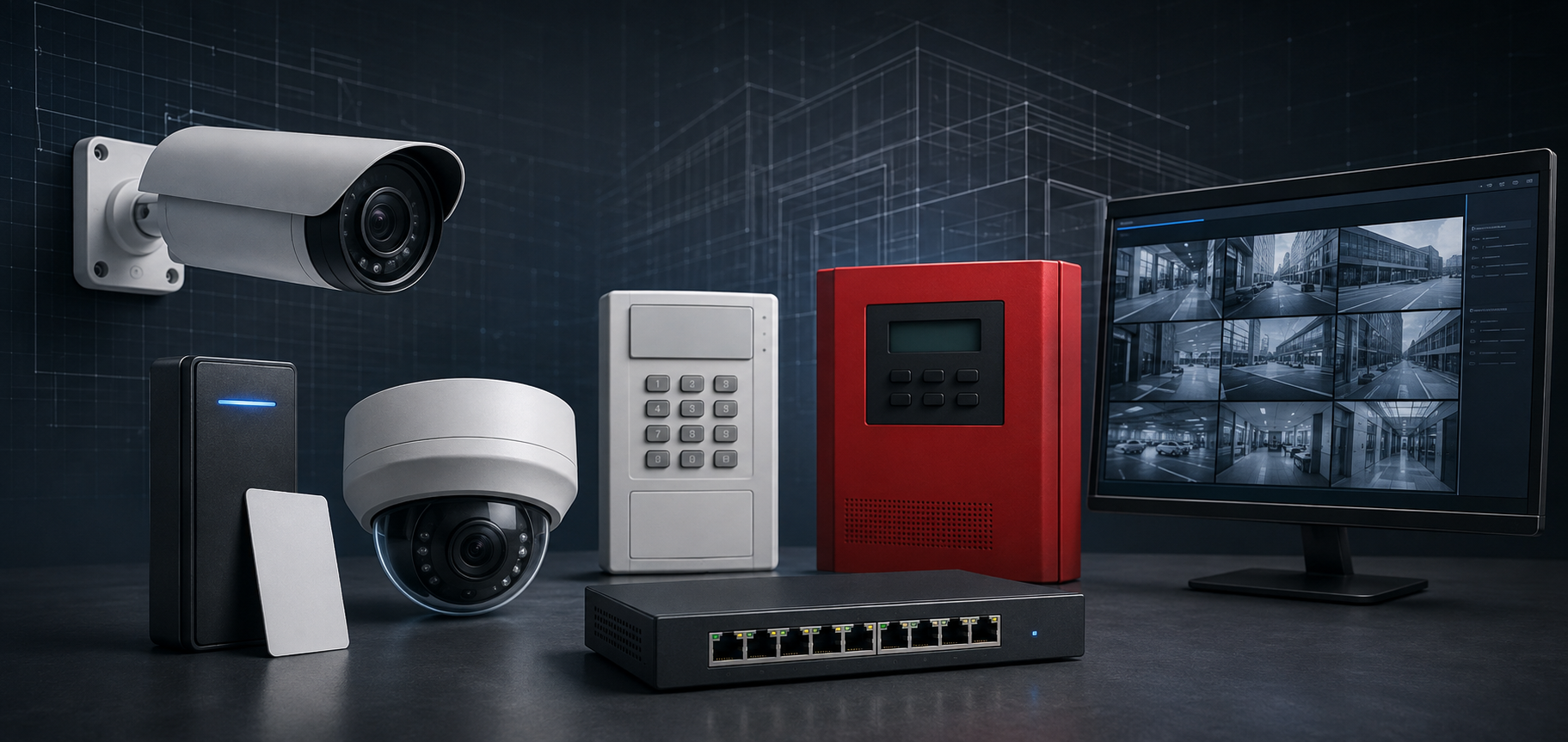
Commercial security planning for Pennsylvania businesses, including video surveillance, access control, intrusion alarms, fire alarm systems, monitoring, intercoms, and network infrastructure.

Commercial Security Should Begin With the Property

A commercial security system should not be selected from a standard residential package or a generic equipment bundle.

An office building, warehouse, manufacturing plant, healthcare facility, school, municipal building, contractor yard, retail property, and logistics operation may each require a different security strategy.

Professional planning may consider:

  • Main and employee entrances
  • Visitor movement
  • Parking areas
  • Loading docks
  • Warehouses and production areas
  • Restricted rooms
  • Exterior approaches
  • Vehicle gates
  • Inventory and equipment
  • After-hours activity
  • Monitoring procedures
  • Network infrastructure
  • Fire and life-safety coordination
  • Future expansion

The objective is not to install every available technology. It is to select the systems that address the property’s actual risks and can be operated, maintained, and expanded responsibly.

Commercial Video Surveillance

Video surveillance can help businesses document incidents, review activity, verify deliveries, investigate losses, and maintain better awareness across commercial properties.

A system may include:

  • Indoor and outdoor cameras
  • Entrance cameras
  • Parking-lot coverage
  • Loading-dock cameras
  • Warehouse and production-area cameras
  • Multi-sensor cameras
  • Low-light or thermal cameras
  • License plate recognition
  • Video analytics
  • Remote viewing
  • Local, cloud, or hybrid recording

Camera planning should begin with the purpose of each view.

A wide camera may document general movement, while a focused view may be needed for a doorway, face, vehicle, transaction, loading operation, or restricted area. Lighting, distance, mounting height, nighttime conditions, storage, network capacity, and recording retention all affect whether footage will be useful.

Video Analytics and AI-Assisted Detection

Video analytics can help identify selected activity without requiring employees to watch every camera continuously.

Depending on the system and application, analytics may help detect:

  • People entering defined areas
  • Vehicles
  • Perimeter activity
  • Loitering
  • After-hours movement
  • Line crossing
  • Object removal
  • Activity near gates or loading areas

Analytics should support a defined security purpose. They are not a substitute for suitable camera placement, reliable networking, usable lighting, appropriate monitoring procedures, or human judgment.

Commercial Access Control

Access control helps businesses manage who may enter selected doors, buildings, rooms, or vehicle entrances.

Compatible systems may use:

  • Cards
  • Key fobs
  • Mobile credentials
  • Individual PINs
  • Supported biometric credentials

A complete controlled opening may also require:

  • Readers and keypads
  • Door controllers
  • Electric strikes or electrified locks
  • Exit-device coordination
  • Door-position contacts
  • Request-to-exit equipment
  • Power supplies
  • Backup batteries
  • Field wiring
  • Network communication
  • User permissions
  • Access schedules
  • Emergency-egress coordination

The reader is only one part of the opening. The door, frame, latch, closer, lock, controller, power, wiring, software, and administrative process must work together.

Commercial Intrusion Alarm Systems

Intrusion alarms can help protect a business when it is closed, lightly staffed, or operating under restricted conditions.

Commercial alarm systems may include:

  • Door and window contacts
  • Motion detectors
  • Glass-break detection
  • Overhead-door contacts
  • Interior protection
  • Perimeter sensors
  • Panic and duress devices
  • Cellular or IP communication
  • Professional monitoring
  • Video verification

Alarm design should reflect the property’s layout, operating hours, employee schedules, sensitive areas, and response procedures.

A warehouse or contractor yard may require a different detection strategy than an office, healthcare property, school, or retail location.

Security Monitoring Services

Professional monitoring may support intrusion alarms, selected technical conditions, video events, and other approved signals.

The monitoring plan should clearly identify:

  • Which events are monitored
  • When monitoring is active
  • Who receives notifications
  • When emergency services may be contacted
  • How users test the system
  • How contact lists are maintained
  • How false or unwanted alarms are reduced
  • Which technical failures require service

Remote video monitoring may also help authorized personnel review selected events, issue live audio warnings, or escalate suspicious activity when included in the service arrangement.

Intercom and Visitor-Entry Systems

Commercial intercoms can help businesses communicate with visitors, vendors, contractors, delivery drivers, and other people before allowing entry.

Systems may support:

  • Audio communication
  • Video verification
  • Reception answering
  • Mobile answering
  • Remote door release
  • Remote gate release
  • SIP or IP communication
  • Access-control integration
  • Camera integration
  • After-hours routing

The system should be designed around who will answer the call, how the visitor will be verified, and who is authorized to release the opening.

Integrated and Unified Security Systems

Commercial properties often benefit when cameras, access control, alarms, intercoms, and monitoring workflows share useful information.

Compatible systems may help authorized users:

  • Associate access events with video
  • Review cameras after an alarm
  • Verify forced or held-open doors
  • Manage visitor releases
  • Investigate after-hours activity
  • Coordinate security across several buildings
  • Centralize users and permissions
  • Improve event reporting

Integration should solve a legitimate operating problem rather than connect systems simply because the technology permits it.

Commercial Fire Alarm and Life-Safety Coordination

Commercial fire alarm systems are life-safety systems that require property-specific design, monitoring, testing, inspection, documentation, and authority coordination.

Fire alarm systems may include:

  • Control panels
  • Smoke and heat detection
  • Manual pull stations
  • Horns and strobes
  • Sprinkler supervisory inputs
  • Communicators
  • Power supplies
  • Backup batteries
  • Elevator or HVAC interfaces
  • Access-control release functions

Security improvements should never interfere with emergency egress, fire-door operation, fire alarm functions, or other required life-safety systems.

Final requirements depend on the occupancy, adopted codes, approved design, and Authority Having Jurisdiction.

Network Infrastructure, Fiber, and Structured Cabling

Modern security systems depend on reliable power, cabling, networking, and communication.

Supporting infrastructure may include:

  • Cat6 and Cat6A cabling
  • Fiber-optic connections
  • PoE network switches
  • Wireless bridges
  • Cellular communication
  • Equipment racks
  • Power supplies
  • Backup batteries
  • UPS equipment
  • Network segmentation
  • Cable labeling
  • Closeout documentation

Poor infrastructure can lead to camera outages, unreliable remote viewing, controller communication failures, alarm transmission problems, and difficult troubleshooting.

The infrastructure should be planned as part of the security system rather than added after the primary equipment has been selected.

New Installations, Repairs, Upgrades, and Takeovers

Businesses may need professional support for:

  • New commercial security installations
  • Existing-system expansion
  • Camera upgrades
  • Recorder and storage replacement
  • Access-control modernization
  • Alarm communicator upgrades
  • Provider takeovers
  • Account ownership recovery
  • User and credential cleanup
  • Door-hardware corrections
  • Network and cabling improvements
  • Multi-site standardization
  • Preventive maintenance
  • Long-term lifecycle planning

Existing equipment does not always need to be replaced. A professional assessment can help determine what may be retained, repaired, reconfigured, expanded, migrated, or replaced in phases.

Commercial and Industrial Properties Supported

NERSA provides commercial security planning and support for:

  • Small businesses
  • Offices
  • Warehouses
  • Distribution centers
  • Manufacturing facilities
  • Industrial properties
  • Logistics operations
  • Healthcare facilities
  • Schools and educational buildings
  • Municipal properties
  • Government facilities
  • Contractor yards
  • Retail properties
  • Multi-tenant buildings
  • Commercial campuses
  • Multi-location organizations

Systems should be sized for the current property while allowing practical growth as the organization adds employees, doors, cameras, buildings, or locations.

Start With a Professional Security Assessment

A commercial security assessment can help identify:

  • Coverage gaps
  • High-risk entrances
  • Restricted areas
  • Camera priorities
  • Credential and access requirements
  • Alarm zones
  • Monitoring needs
  • Door-hardware conditions
  • Infrastructure limitations
  • Existing equipment that may be reused
  • Documentation gaps
  • Upgrade priorities
  • Future expansion requirements

Northeast Remote Surveillance and Alarm, LLC designs systems around the property and its operations rather than forcing every customer into the same equipment package.

For complete Pennsylvania and Mid-Atlantic commercial security planning, visit Commercial and Industrial Security Systems in Pennsylvania and the Mid-Atlantic.

Call 1-888-344-3846 to request a commercial security assessment.

Commercial Security Integration

Commercial Security Integration Services Integrated Commercial & Industrial Security Systems by Northeast Remote Surveillance and Alarm, LLC Commercial Security Integration by Northeast Remote Surveillance and Alarm, LLC (NERSA). Modern businesses face complex security challenges that cannot be solved with isolated cameras or standalone alarm panels. Commercial security integration brings all physical security technologies together into […]

Read More

Commercial Security Unification: The Complete Guide to Unified Security Systems for Businesses in PA, NJ, DE & MD

Commercial Security Unification Commercial Security Unification by Northeast Remote Surveillance and Alarm, LLC (NERSA). Commercial security has entered a new era. What was once a collection of disconnected systems—video surveillance, access control, intrusion alarms, and monitoring—has evolved into a single, intelligent, unified security ecosystem. For businesses across Pennsylvania, New Jersey, Delaware, and Maryland, commercial security […]

Read More

Commercial Video Surveillance Installation – The Ultimate Guide to

Commercial Video Surveillance Installation Commercial Video Surveillance Installation by Northeast Remote Surveillance and Alarm, LLC (NERSA). Video surveillance is no longer just a “watch and record” safety net — today’s commercial systems are intelligent, proactive, highly adaptable security ecosystems capable of real-time threat response, detailed investigations, and unified physical security management. Whether you’re securing a […]

Read More

Total Protection: The Essential Guide to Commercial Security in Philadelphia, PA

Commercial Security in Philadelphia Commercial Security Installation Philadelphia, PA Commercial Security in Philadelphia, PA by Northeast Remote Surveillance and Alarm, LLC (NRSEC).Philadelphia businesses require more than basic locks and standalone cameras. From downtown office buildings and healthcare facilities to large-scale manufacturing plants, warehouses, and distribution centers, true protection demands integrated, intelligent, and reliable commercial security […]

Read More

Ultimate Guide to Commercial Access Control Installation

Commercial Access Control Installation Strategies, Benefits, and Best Practices with Northeast Remote Surveillance and Alarm, LLC Commercial Access Control Installation by Northeast Remote Surveillance and Alarm, LLC (NRSEC) In an era where business security needs extend far beyond simple locks and keys, commercial access control systems have become essential for safeguarding people, property, and operations. […]

Read More
Commercial Security Installation Northampton County PA

Commercial Security Installation Northampton County PA

Commercial properties across Northampton County need security systems built around how the building actually operates. That usually means planning around entrances, employee access, rear doors, parking areas, storage space, service activity, and after-hours exposure. Northeast Remote Surveillance and Alarm, LLC provides commercial security installation in Northampton County, PA for office buildings, warehouses, manufacturing facilities, healthcare […]

Read More
Commercial Video Installation

Commercial Video Installation

How Video Analytics Can Help You The old idea of a video surveillance system is of a security guard sitting in a booth watching the security camera feed live, hoping to catch suspicious activity. This model relies on having a live person watching and reviewing all your video, however, which is not practical or efficient. […]

Read More
Video Monitoring Pa

Video Monitoring Pa

Commercial Alarm Installation, Your commercial property is valuable—and vulnerable. Criminals will strike if they haven’t already, delaying projects and costing you money. Our remote video monitoring caters to clients looking to have incident footage with real-time intervention. From pan/tilt/zoom to thermal, Our wide range of state-of-the-art cameras can cater to any security needs. Sophisticated alarm […]

Read More
Commercial Security Installation

Commercial Security Installation

Commercial Security Installation, When it comes to experience, reliability, and customer service, no other company can match the level that Northeast Remote Surveillance provides to its clients. We’re not a national company with disconnected out-of-state operations and support, or a telecom conglomerate shoehorning another service into your “bundle” with untrained and unlicensed technicians. We are […]

Read More
Industrial Security Installation

Industrial Security Installation

Northeast Remote Surveillance and Alarm serves Philadelphia PA with  state-of-the-art commercial security solutions protect your business from break-ins and theft. A quality commercial alarm system gives you peace of mind, knowing that security is our business even when you’re closed. Did someone access the inventory room after hours? Was that a false alarm or a […]

Read More

Request A Security Quote

Click Here

Commercial Security Installation Resource for Commercial and Industrial Facilities

Many businesses use separate systems for video surveillance, access control, intrusion detection, intercoms, and security monitoring. Each system may work independently, but disconnected platforms can make incident review, user administration, reporting, and day-to-day security management unnecessarily difficult.

A unified security strategy coordinates selected technologies so authorized users can review related information more efficiently and manage the property through a clearer operating process.

The goal is not to connect every device simply because integration is possible. The goal is to improve visibility, reduce manual steps, and help the organization respond more effectively when an important event occurs.

For comprehensive system design, integration, upgrades, and centralized management, continue to Unified and Integrated Commercial Security Systems.

Commercial security systems working together through a centralized platform, including video surveillance, access control, intrusion alarms, intercoms, event monitoring, and multi-site management.

What Is a Unified Commercial Security System?

A unified security system brings selected physical-security functions into a coordinated management environment.

Depending on the property and platform, this may include:

  • Video surveillance
  • Access control
  • Intrusion alarms
  • Intercom and visitor entry
  • Remote video monitoring
  • Vehicle gates
  • Security analytics
  • System-health information
  • Multi-location management

A unified platform may allow information from one system to provide context for another. For example, a forced-door event may display the nearest camera, or an intrusion alarm may be associated with relevant recorded video.

This can help employees understand the event without manually searching several unrelated applications.

Integration Versus Unification

Integration usually connects two or more systems for a specific purpose.

Examples include:

  • Displaying a camera after a door alarm
  • Releasing an approved door from an intercom
  • Associating access activity with video
  • Triggering a notification after an alarm event

Unification generally provides a more consistent environment for managing events, users, permissions, reporting, and multiple security functions.

Not every business requires complete unification. A smaller commercial property may benefit from focused integration between cameras, access control, and intrusion alarms. A larger facility or multi-site organization may require a broader centralized platform.

The correct approach should reflect how the organization actually operates.

Faster Incident Review

Disconnected systems can make an investigation unnecessarily time-consuming.

A manager may need to:

  1. Identify an alarm or door event.
  2. Determine the exact location.
  3. Open a separate video platform.
  4. Find the correct camera.
  5. Match timestamps manually.
  6. Review access records in another system.
  7. Contact additional personnel for context.

A coordinated system may reduce these steps by associating related events.

Unified event review may be useful for:

  • Forced doors
  • Doors held open
  • Denied credentials
  • After-hours entry
  • Intrusion alarms
  • Visitor releases
  • Vehicle-gate activity
  • Perimeter events
  • Equipment-area incidents

The objective should be to present useful context rather than create an overwhelming number of alerts.

Video Surveillance and Access Control

Access records do not always explain what physically occurred at a door.

A system may show that a credential was accepted, but that record does not independently confirm:

  • Who presented the credential
  • Whether another person followed through
  • Whether the door closed afterward
  • What occurred near the entrance
  • Whether a delivery or vehicle was involved

A nearby camera can provide visual context for the access event.

Useful coordination may support review of:

  • Access granted
  • Access denied
  • Forced-door activity
  • Held-open doors
  • Employee entrances
  • Restricted-room activity
  • Contractor entry
  • After-hours access

Accurate system time, dependable recording, suitable camera placement, door-position monitoring, and appropriate user permissions are necessary for this coordination to remain useful.

Intrusion Alarms and Video Verification

An intrusion alarm identifies activity or a change in a protected area. Video may help authorized users or monitoring personnel understand what caused the event.

Depending on the system and monitoring arrangement, video may help distinguish between:

  • A person entering a protected area
  • Normal employee activity
  • A delivery
  • Equipment movement
  • Weather-related activity
  • An animal
  • A possible intrusion

Video verification does not guarantee that every event can be confirmed. Camera coverage, lighting, communication, system health, and event timing all affect what can be reviewed.

Intercoms and Controlled Entry

Visitor-entry systems may coordinate:

  • Audio communication
  • Video verification
  • Reception answering
  • Mobile answering
  • Door access control
  • Remote door release
  • Remote gate release
  • Nearby camera views
  • After-hours call routing

The business should establish who may answer calls and who is authorized to release each opening.

A convenient door-release command should not bypass visitor procedures, gate-safety functions, required emergency egress, or life-safety operation.

Multi-Site Security Management

Organizations with several properties often inherit inconsistent security environments.

Different locations may use:

  • Separate camera systems
  • Different credential technologies
  • Multiple alarm providers
  • Inconsistent user names
  • Shared administrator accounts
  • Different recording periods
  • Outdated monitoring contacts
  • Unsupported equipment
  • Separate mobile applications
  • Incomplete documentation

A more centralized approach may help establish:

  • Consistent user administration
  • Location-specific permissions
  • Standard device naming
  • Coordinated event review
  • System-health reporting
  • Common service procedures
  • Customer-owned accounts
  • Equipment inventories
  • Upgrade priorities
  • Lifecycle planning

Complete replacement is not always necessary. Existing equipment may sometimes remain in service while the organization develops a phased standardization plan.

Infrastructure Still Matters

A unified platform cannot correct unreliable cabling, weak network connections, failed power supplies, or unsupported field equipment.

The supporting infrastructure may include:

  • Structured cabling
  • Fiber-optic connections
  • PoE switches
  • Servers or cloud gateways
  • Wireless bridges
  • Network segmentation
  • Power supplies
  • Backup batteries
  • UPS equipment
  • Secure remote access
  • Equipment labeling
  • System documentation

Infrastructure should be evaluated as part of the security design rather than treated as a separate afterthought.

Account Ownership and User Security

Centralized systems may contain sensitive operational information, including video, employee names, credential records, access permissions, alarm activity, building layouts, and system settings.

Businesses should plan for:

  • Customer ownership of primary accounts
  • Individual user accounts
  • Role-based permissions
  • Multi-factor authentication where supported
  • Removal of former employees
  • Limited provider access
  • Secure account recovery
  • Network security
  • Software and firmware support
  • Periodic administrator reviews

A centralized platform can simplify management, but it also makes control of the primary administrative account especially important.

Can Existing Systems Be Unified?

Some existing systems can be retained and coordinated. Others may need upgrades or replacement.

A professional assessment may review:

  • Camera and recorder compatibility
  • Access-control panels and readers
  • Alarm equipment
  • Intercom systems
  • Software versions
  • Licensing
  • Network architecture
  • Administrative access
  • Account ownership
  • Manufacturer support
  • Available integrations

Equipment may be reusable when it is dependable, supported, accessible, and compatible with the proposed operating structure.

Older, proprietary, unsupported, or installer-locked systems may limit the available options.

When Unified Security May Be Appropriate

A business may benefit from unified-security planning when:

  • Employees switch between several applications
  • Investigations require extensive manual searching
  • Access events need video context
  • Alarm verification is difficult
  • Multiple locations use inconsistent systems
  • Administrator accounts are unclear
  • Former users are not removed consistently
  • System-health visibility is limited
  • Equipment has been inherited through acquisitions
  • Centralized reporting is difficult
  • Additional locations are planned

The proposed architecture should simplify security operations rather than introduce complexity without a clear benefit.

Questions to Answer Before Unifying Security Systems

Before approving a unified-security project, determine:

  • Which systems need to share information
  • Which events require video context
  • Who will operate the platform
  • Which users need access
  • Which buildings or locations will be included
  • Which existing equipment can be retained
  • Who will own the primary accounts
  • What continues operating during an outage
  • Which licenses or subscriptions recur
  • How records can be exported
  • How technical failures will be identified
  • How future locations will be added

Clear operating goals should guide platform and equipment selection.

Start With the Organization’s Operations

A unified security strategy should begin with the organization’s people, properties, procedures, and response requirements.

The business should identify:

  • Which incidents require investigation
  • Which doors and areas are most important
  • How alarms are handled
  • Who approves access
  • Who reviews video
  • How visitors are admitted
  • How after-hours events are escalated
  • How multiple locations are administered
  • What reporting and documentation are required

Technology should support these procedures rather than dictate them.

For complete unified-security planning, platform integration, multi-site management, upgrades, and supporting infrastructure, visit Unified and Integrated Commercial Security Systems.

Suggested image alt text:
Commercial security systems working together through a centralized platform, including video surveillance, access control, intrusion alarms, intercoms, event monitoring, and multi-site management.

How Unified Security Systems Help Commercial Properties Operate More Effectively

Many businesses use separate systems for video surveillance, access control, intrusion detection, intercoms, and security monitoring. Each system may work independently, but disconnected platforms can make incident review, user administration, reporting, and day-to-day security management unnecessarily difficult.

A unified security strategy coordinates selected technologies so authorized users can review related information more efficiently and manage the property through a clearer operating process.

The goal is not to connect every device simply because integration is possible. The goal is to improve visibility, reduce manual steps, and help the organization respond more effectively when an important event occurs.

For comprehensive system design, integration, upgrades, and centralized management, continue to Unified and Integrated Commercial Security Systems.

What Is a Unified Commercial Security System?

A unified security system brings selected physical-security functions into a coordinated management environment.

Depending on the property and platform, this may include:

  • Video surveillance
  • Access control
  • Intrusion alarms
  • Intercom and visitor entry
  • Remote video monitoring
  • Vehicle gates
  • Security analytics
  • System-health information
  • Multi-location management

A unified platform may allow information from one system to provide context for another. For example, a forced-door event may display the nearest camera, or an intrusion alarm may be associated with relevant recorded video.

This can help employees understand the event without manually searching several unrelated applications.

Integration Versus Unification

Integration usually connects two or more systems for a specific purpose.

Examples include:

  • Displaying a camera after a door alarm
  • Releasing an approved door from an intercom
  • Associating access activity with video
  • Triggering a notification after an alarm event

Unification generally provides a more consistent environment for managing events, users, permissions, reporting, and multiple security functions.

Not every business requires complete unification. A smaller commercial property may benefit from focused integration between cameras, access control, and intrusion alarms. A larger facility or multi-site organization may require a broader centralized platform.

The correct approach should reflect how the organization actually operates.

Faster Incident Review

Disconnected systems can make an investigation unnecessarily time-consuming.

A manager may need to:

  1. Identify an alarm or door event.
  2. Determine the exact location.
  3. Open a separate video platform.
  4. Find the correct camera.
  5. Match timestamps manually.
  6. Review access records in another system.
  7. Contact additional personnel for context.

A coordinated system may reduce these steps by associating related events.

Unified event review may be useful for:

  • Forced doors
  • Doors held open
  • Denied credentials
  • After-hours entry
  • Intrusion alarms
  • Visitor releases
  • Vehicle-gate activity
  • Perimeter events
  • Equipment-area incidents

The objective should be to present useful context rather than create an overwhelming number of alerts.

Video Surveillance and Access Control

Access records do not always explain what physically occurred at a door.

A system may show that a credential was accepted, but that record does not independently confirm:

  • Who presented the credential
  • Whether another person followed through
  • Whether the door closed afterward
  • What occurred near the entrance
  • Whether a delivery or vehicle was involved

A nearby camera can provide visual context for the access event.

Useful coordination may support review of:

  • Access granted
  • Access denied
  • Forced-door activity
  • Held-open doors
  • Employee entrances
  • Restricted-room activity
  • Contractor entry
  • After-hours access

Accurate system time, dependable recording, suitable camera placement, door-position monitoring, and appropriate user permissions are necessary for this coordination to remain useful.

Intrusion Alarms and Video Verification

An intrusion alarm identifies activity or a change in a protected area. Video may help authorized users or monitoring personnel understand what caused the event.

Depending on the system and monitoring arrangement, video may help distinguish between:

  • A person entering a protected area
  • Normal employee activity
  • A delivery
  • Equipment movement
  • Weather-related activity
  • An animal
  • A possible intrusion

Video verification does not guarantee that every event can be confirmed. Camera coverage, lighting, communication, system health, and event timing all affect what can be reviewed.

Intercoms and Controlled Entry

Visitor-entry systems may coordinate:

  • Audio communication
  • Video verification
  • Reception answering
  • Mobile answering
  • Door access control
  • Remote door release
  • Remote gate release
  • Nearby camera views
  • After-hours call routing

The business should establish who may answer calls and who is authorized to release each opening.

A convenient door-release command should not bypass visitor procedures, gate-safety functions, required emergency egress, or life-safety operation.

Multi-Site Security Management

Organizations with several properties often inherit inconsistent security environments.

Different locations may use:

  • Separate camera systems
  • Different credential technologies
  • Multiple alarm providers
  • Inconsistent user names
  • Shared administrator accounts
  • Different recording periods
  • Outdated monitoring contacts
  • Unsupported equipment
  • Separate mobile applications
  • Incomplete documentation

A more centralized approach may help establish:

  • Consistent user administration
  • Location-specific permissions
  • Standard device naming
  • Coordinated event review
  • System-health reporting
  • Common service procedures
  • Customer-owned accounts
  • Equipment inventories
  • Upgrade priorities
  • Lifecycle planning

Complete replacement is not always necessary. Existing equipment may sometimes remain in service while the organization develops a phased standardization plan.

Infrastructure Still Matters

A unified platform cannot correct unreliable cabling, weak network connections, failed power supplies, or unsupported field equipment.

The supporting infrastructure may include:

  • Structured cabling
  • Fiber-optic connections
  • PoE switches
  • Servers or cloud gateways
  • Wireless bridges
  • Network segmentation
  • Power supplies
  • Backup batteries
  • UPS equipment
  • Secure remote access
  • Equipment labeling
  • System documentation

Infrastructure should be evaluated as part of the security design rather than treated as a separate afterthought.

Account Ownership and User Security

Centralized systems may contain sensitive operational information, including video, employee names, credential records, access permissions, alarm activity, building layouts, and system settings.

Businesses should plan for:

  • Customer ownership of primary accounts
  • Individual user accounts
  • Role-based permissions
  • Multi-factor authentication where supported
  • Removal of former employees
  • Limited provider access
  • Secure account recovery
  • Network security
  • Software and firmware support
  • Periodic administrator reviews

A centralized platform can simplify management, but it also makes control of the primary administrative account especially important.

Can Existing Systems Be Unified?

Some existing systems can be retained and coordinated. Others may need upgrades or replacement.

A professional assessment may review:

  • Camera and recorder compatibility
  • Access-control panels and readers
  • Alarm equipment
  • Intercom systems
  • Software versions
  • Licensing
  • Network architecture
  • Administrative access
  • Account ownership
  • Manufacturer support
  • Available integrations

Equipment may be reusable when it is dependable, supported, accessible, and compatible with the proposed operating structure.

Older, proprietary, unsupported, or installer-locked systems may limit the available options.

When Unified Security May Be Appropriate

A business may benefit from unified-security planning when:

  • Employees switch between several applications
  • Investigations require extensive manual searching
  • Access events need video context
  • Alarm verification is difficult
  • Multiple locations use inconsistent systems
  • Administrator accounts are unclear
  • Former users are not removed consistently
  • System-health visibility is limited
  • Equipment has been inherited through acquisitions
  • Centralized reporting is difficult
  • Additional locations are planned

The proposed architecture should simplify security operations rather than introduce complexity without a clear benefit.

Questions to Answer Before Unifying Security Systems

Before approving a unified-security project, determine:

  • Which systems need to share information
  • Which events require video context
  • Who will operate the platform
  • Which users need access
  • Which buildings or locations will be included
  • Which existing equipment can be retained
  • Who will own the primary accounts
  • What continues operating during an outage
  • Which licenses or subscriptions recur
  • How records can be exported
  • How technical failures will be identified
  • How future locations will be added

Clear operating goals should guide platform and equipment selection.

Start With the Organization’s Operations

A unified security strategy should begin with the organization’s people, properties, procedures, and response requirements.

The business should identify:

  • Which incidents require investigation
  • Which doors and areas are most important
  • How alarms are handled
  • Who approves access
  • Who reviews video
  • How visitors are admitted
  • How after-hours events are escalated
  • How multiple locations are administered
  • What reporting and documentation are required

Technology should support these procedures rather than dictate them.

For complete unified-security planning, platform integration, multi-site management, upgrades, and supporting infrastructure, visit Unified and Integrated Commercial Security Systems.


Total Protection: The Essential Guide to Commercial Security in Harrisburg, PA

Commercial Security in Harrisburg, PA Commercial Security Installation Harrisburg, PA Commercial Security in Harrisburg, PA by Northeast Remote Surveillance and Alarm, LLC (NRSEC). Harrisburg businesses require far more than basic locks and standalone cameras. From downtown Harrisburg office buildings and healthcare facilities to large-scale manufacturing plants, warehouses, utilities, and government facilities, true protection demands integrated, […]

Total Protection: The Essential Guide to Commercial Security in Allentown, PA

Commercial Security in Allentown Commercial Security Installation Allentown, PA Commercial Security in Allentown, PA by Northeast Remote Surveillance and Alarm, LLC (NRSEC).Allentown businesses require far more than basic locks and standalone cameras. From downtown Allentown office buildings and healthcare facilities to large-scale manufacturing plants, warehouses, and distribution centers, true protection demands integrated, intelligent, and reliable […]

How Lehigh Valley Businesses Can Plan a Better Commercial Security System

Commercial security planning should begin with the property, its operating risks, and the way employees, visitors, vehicles, inventory, and contractors move through the facility. A warehouse near Route 33 will not have the same priorities as an Allentown office building, a Bethlehem healthcare property, or a manufacturing plant in Upper Macungie. Each location may require […]

Commercial Access Control Installation in Reading

Access control installation in Reading, PA should be planned around how a commercial or industrial property actually operates, including employee entrances, visitor access, restricted rooms, warehouse doors, office areas, gates, shared spaces, audit trails, and emergency egress. This support post is for businesses researching commercial access control systems before approving a project or requesting a […]

How Philadelphia Businesses Can Plan a Better Commercial Security System

Commercial security installation should begin with the way the property operates—not with a generic package of cameras, readers, and alarm devices. A Center City office building has different risks than a warehouse near I-95, an industrial property near the port, a healthcare facility, a school, a multi-tenant building, or a logistics yard. Each property has […]

Commercial Security Installation Northampton County PA

Commercial Security Installation Northampton County PA

Commercial properties across Northampton County need security systems built around how the building actually operates. That usually means planning around entrances, employee access, rear doors, parking areas, storage space, service activity, and after-hours exposure. Northeast Remote Surveillance and Alarm, LLC provides commercial security installation in Northampton County, PA for office buildings, warehouses, manufacturing facilities, healthcare […]

Keeping Your Business Safe with Northeast Remote Surveillance and Alarm, CCTV Installer in Wilkes-Barre

Keeping Your Business Safe with Northeast Remote Surveillance and Alarm, CCTV Installer in Wilkes-Barre

CCTV Installer in Wilkes-Barre CCTV Installer in Wilkes-Barre – Northeast Remote Surveillance and Alarm, LLC. One of the top priorities of every business owner is to keep their establishment and employees safe. In order to achieve this, it is important to install reliable security systems. Thankfully, Northeast Remote Surveillance and Alarm, LLC offers CCTV installer […]

The Benefits of Hiring a Professional Commercial Access Control Installer

The Benefits of Hiring a Professional Commercial Access Control Installer

Commercial access control involves more than mounting a reader beside a door. A dependable system must coordinate credentials, controllers, locking hardware, door operation, power, wiring, network communication, emergency egress, administrator access, and ongoing support. A professional installer helps the business evaluate the complete opening before equipment is selected. This reduces the risk of buying a […]

Commercial Surveillance Installation Systems

Commercial Surveillance Installation Systems

Northeast Remote Surveillance and Alarm, LLC specialize in Commercial Video Surveillance Installation Repair and Upgrade. Our Team of Security Video and Alarm Installation specialists can access what you need. Does your legacy or aging video surveillance system need a new shot at life or a complete refit?  Are you looking to add video analytics? Improve […]

Corporate Alarm Monitoring

Corporate Alarm Monitoring

Northeast Remote Surveillance and Alarm, LLC  provides commercial security installation and business security monitoring for a wide variety of security systems through our network of state-of-the-art monitoring centers. Serving Serving Philadelphia PA and surrounding NE Cities.  Our Infrastructure reliability meets or exceeds regulatory requirements. We use monitoring centers that are UL Certified and FM approved […]

Clink the Link Below for Business Security Systems Installation, Surveillance System Design, Any Security System Repair or Upgrade

Get a Free Estimate

Service Area — Northeast Remote Surveillance and Alarm, LLC

Service Area — Northeast Remote Surveillance and Alarm, LLC

Enterprise Security Solutions Across the Mid‑Atlantic & Northeast

Northeast Remote Surveillance and Alarm, LLC (NERSA) is a professional security integrator specializing in commercial alarm systems, video surveillance, access control, industrial security, and unified security integrations for businesses, institutions, municipalities, and industrial facilities. With decades of experience, NERSA delivers tailored security system design, installation, monitoring, and support across a broad geographic region and diverse market sectors.


📍 Geographic Service Areas

Northeast Remote Surveillance and Alarm, LLC serves customers throughout multiple states, with a focus on Pennsylvania and extending into neighboring regions. Key supported areas include:

Pennsylvania (PA)

  • Northeastern PA:
    Scranton, Wilkes‑Barre, Mountain Top, Clarks Summit, Carbondale, Hazleton, Pittston, Plains Township

  • Lehigh Valley:
    Allentown, Bethlehem, Easton, Fogelsville, Whitehall, Trexlertown

  • Poconos & Surrounding Regions:
    East Stroudsburg, Stroudsburg, Blakeslee, Jim Thorpe, White Haven, Lehighton, Palmerton

  • Anthracite Region:
    Hazleton, Conyngham, Bloomsburg, Pottsville, Mahanoy City, Schuylkill Haven, Minersville

  • Lehigh & Northampton Counties:
    Allentown, Bethlehem, Easton, Bath, Nazareth, Forks Township

  • Bucks & Berks Counties:
    Quakertown, Lansdale, Reading, Kutztown

  • Southeastern PA:
    Philadelphia, King of Prussia, Exton, West Chester, Upper Darby, Bensalem

  • Central & Western PA (selected):
    Harrisburg, Lancaster, York

New Jersey (NJ)

  • Newark

  • Jersey City

  • Camden

  • Trenton

  • Cherry Hill

  • Freehold

  • Princeton

  • Atlantic City

  • Point Pleasant

Delaware (DE)

  • Wilmington

  • Newark

  • Middletown

  • Dover

Maryland (MD)

  • North East

  • Elkton


💼 Market Sectors Served

NERSA’s security services span a wide range of industries and operational needs. Whether for compliance, asset protection, loss prevention, or risk mitigation, clients include:

  • Commercial & Corporate Facilities

  • Industrial & Manufacturing Plants

  • Warehouses & Logistics Hubs

  • Healthcare and Medical Campuses

  • Education & School Districts

  • Municipal & Government Properties

  • Retail & Shopping Centers

  • Hospitality & Hotels

  • Multi‑Site & Franchise Enterprises

  • Property & Facilities Management

  • Transportation & Cargo Security

  • Technology & Data Centers

  • Critical Infrastructure & Energy

  • Housing Authorities & Apartment Complexes

  • Police Departments & Public Safety Agencies


🔐 Services Offered

Northeast Remote Surveillance and Alarm, LLC delivers a full suite of commercial‑grade security services, including:

Video & Surveillance Systems

  • Enterprise‑grade video surveillance installation

  • Commercial and industrial surveillance cameras (IP, AI‑ready)

  • Video analytics and motion classification

  • Remote and professional video monitoring services

  • Wireless and fiber‑optic camera networks

Alarm & Intrusion Systems

  • Commercial alarm installation

  • Perimeter detection systems

  • Panic alarms and emergency alerts

  • 24/7 alarm monitoring with professional verification

  • Integration with video systems for automated response

Access Control & Integration

  • Access control for doors, gates, and secure zones

  • Biometric, card, and smart credential systems

  • Unified platform integration with alarms and video

  • Centralized management and audit trails

Security Network & Infrastructure

  • Structured cabling and network design

  • Fiber‑optic integration for long‑distance and high‑bandwidth systems

  • Cyber‑secure infrastructure for video and access systems

  • Wireless point‑to‑point and mesh solutions

Specialized & Value‑Added Services

  • Warehouse security systems

  • Town‑wide and municipal video surveillance

  • Life safety and fire alarm integration

  • Industrial CCTV with analytics

  • Video storage solutions (cloud, hybrid, NVR)

  • System upgrades, repairs, and legacy system modernization


🌟 Why Businesses Choose NERSA

  • Broad Regional Coverage: PA, NJ, DE, and MD markets with local offices and technicians.

  • Enterprise‑Grade Solutions: Designed for scalability, compliance, and integration.

  • Vendor‑Agnostic Approach: Uses industry‑leading products without proprietary lock‑in.

  • Experienced Technicians: Professional installation backed by long‑term service and support.

  • Custom Designs: Tailored systems for specific industry risks and operational needs.


📞 Contact Northeast Remote Surveillance and Alarm, LLC
For a custom security assessment, design consultation, or quote tailored to your facility or business needs, call 1‑888‑344‑3846 or visit their contact pages.


What Some Of Our Clients Have To Say About Us

I think the company has a good product, is reasonably priced, and has provided excellent customer service to me so far. I am very happy with my security system. It has worked perfectly and and I haven’t wanted to cancel my service so I have not had any of the bad experiences. I definitely would […]

Alarm Installation Experts!

These are good cameras with great picture quality. We have slow internet at our shop off of our house and they still work good! Set up was a little difficult but mostly because of the slow internet speed I think and had to buy a router extender but everything is up and running and so […]

Good Video Picture Quality

Great quality for the price. Picture is clear have the hooked up to a 32″ tv really like the app that i can watch my cameras anywhere. and that i can make clips and download them onto a scan disk. very happy with my purchase would recommend to anyone the wires and not hard to […]

Great Commercial Alarm Installers

The people working in this company are very knowledgeable. They teach me very well how to use the keypad. This company has one of the best monitoring system and they are always help me whenever I need their help. Justin T.

Best customer service

Needed an alarm monitoring service and safety fit for purpose my expectations. Good and supportive service on the phone and quick to help. I plan my vacations with them so, my house is always watched. Rachel B.

Makes me feel safe

Nothing but amazing experiences with this company. Want to thank-you so much for the quick wonderful service in helping me switch from a landline to cell phone service. Thanks to your team for exceptional customer service! Ann V.

Amazing experiences with this company

We’ve been using this company to monitor our Business alarm systems for the last 2 years. Since day one, they have been easy to deal with and very responsive to my emails. We’ve just added a new location and they were quick to get back to me to ensure that our new business alarm system […]

Very Happy with the service

Call Us Now