
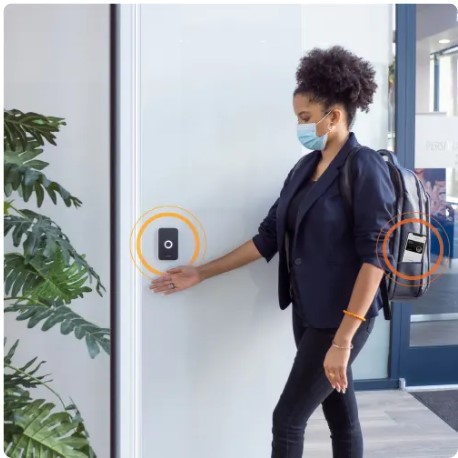
Commercial access control involves more than mounting a reader beside a door. A dependable system must coordinate credentials, controllers, locking hardware, door operation, power, wiring, network communication, emergency egress, administrator access, and ongoing support.
A professional installer helps the business evaluate the complete opening before equipment is selected. This reduces the risk of buying a system that works in software but does not operate reliably at the actual door.
For comprehensive commercial access control design, installation, upgrades, and takeovers, visit Commercial and Industrial Access Control Systems.
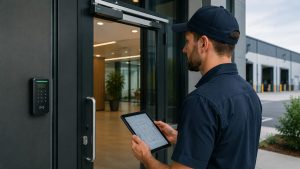
Why Professional Installation Matters
Every controlled opening has different physical and operational conditions.
A project may involve:
- A standard office door
- An aluminum storefront entrance
- A hollow-metal warehouse door
- A wood tenant-suite door
- An exit device
- A fire-rated opening
- An automatic door operator
- A vehicle gate
- An existing electric strike or magnetic lock
The correct access control equipment depends on the door, frame, lock, latch, closer, traffic level, required exit operation, available power, wiring path, users, schedules, and security objective.
A professional installer reviews those conditions before recommending equipment.
Access Control Is More Than a Reader
The reader is only the visible part of the system.
A complete controlled opening may include:
- Cards, key fobs, mobile credentials, or individual PINs
- A reader or keypad
- A door controller
- Management software
- An electric strike, electrified lock, or exit device
- A door-position contact
- A request-to-exit device
- A power supply
- Backup batteries
- Network communication
- Field wiring
- Door-closing and latching hardware
A valid credential may be accepted while the door remains locked because of a failed strike, insufficient voltage, damaged wiring, poor alignment, a binding latch, or incorrect programming.
A door may also unlock correctly but remain unsecured because it does not close and latch after entry.
Professional planning considers the entire opening instead of assuming that the reader alone determines whether the installation is successful.
Selecting the Right Credential Technology
Commercial access control systems can use several credential methods.
Cards and Key Fobs
Cards and key fobs remain practical for offices, warehouses, manufacturing facilities, healthcare properties, schools, municipal buildings, and multi-tenant properties.
They can be assigned to individual users, limited to selected doors, restricted by schedule, and disabled when lost or when employment ends.
Mobile Credentials
Compatible smartphones may function as access credentials.
Mobile access can help businesses issue credentials remotely, reduce physical card distribution, and manage users across several locations. The business should still consider licensing, reader compatibility, employee-device policies, credential revocation, cybersecurity, and what happens when a phone is lost or replaced.
Individual PINs
Individually assigned PINs may be useful for selected doors or temporary users.
A shared keypad code provides weaker accountability because it can be copied, disclosed, and retained after authorization ends.
Supported Biometrics
Biometric readers may be appropriate for certain higher-security applications. Their use should be evaluated around privacy, enrollment, environmental conditions, credential fallback, platform compatibility, and customer policy.
The most advanced credential does not correct a failing door, unsuitable lock, weak administrator account, or poor access policy.
Matching the System to the Business
The right access control system depends on how the property operates.
A small office may need one employee entrance, individually assigned credentials, and basic schedules.
A warehouse may need:
- Controlled employee entrances
- Office-to-warehouse separation
- Shipping-office access
- Inventory restrictions
- Tool-room security
- Contractor permissions
- Shift-based schedules
- Exterior personnel-door monitoring
A manufacturing facility may require different permissions for production employees, supervisors, maintenance personnel, contractors, engineers, laboratories, utility rooms, and restricted processes.
A multi-tenant property may need separate authority for property management, shared entrances, tenant administrators, cleaning personnel, service contractors, and individual suites.
A professional installer should recommend a system based on actual users, doors, responsibilities, and future plans rather than selling the same package to every business.
Door Hardware and Emergency Operation
Access control must manage entry without interfering with required exit.
The project may need to account for:
- Exit devices
- Fire-rated doors
- Door closers
- Positive latching
- Emergency release
- Power-loss operation
- Request-to-exit equipment
- Fire alarm interfaces
- Accessible entry
- Automatic door operators
- Local inspection requirements
Magnetic locks can be appropriate in certain applications, but they are not a universal backup solution. Electric strikes, electrified locks, electrified trim, and electrified exit devices may be more suitable depending on the opening and required operation.
Equipment should be selected after reviewing the door and life-safety requirements, not before.
Planning for User Administration
A technically capable system can still be poorly managed.
The business should establish:
- Who approves new users
- Who issues credentials
- Which doors each role may access
- How schedules are assigned
- How lost credentials are handled
- How temporary access expires
- How quickly former employees are removed
- Who may review access events
- Who controls administrator accounts
- Who owns the primary cloud or software account
The customer should retain appropriate control over its system, users, credentials, records, and primary administrative account.
Shared administrator passwords and installer-owned accounts can create problems when employees or service providers change.
Cloud, On-Premises, and Hybrid Systems
Commercial access control may be managed through cloud-based, locally hosted, or hybrid platforms.
Cloud-managed systems may offer convenient remote administration and multi-location visibility. Businesses should understand recurring fees, account ownership, internet requirements, licensing, data access, and offline controller behavior.
On-premises systems may provide greater local control but still require software maintenance, database backups, cybersecurity, licensing, supported operating systems, and qualified administration.
Hybrid systems may combine local door operation with cloud-based administration, reporting, or remote access.
The best architecture depends on the organization’s doors, users, locations, network, internal resources, security requirements, and long-term plans.
Upgrades and Existing-System Takeovers
A business may already have access control but still need professional help because of:
- Failed readers
- Unsupported controllers
- Former employees who remain active
- Lost administrator credentials
- Installer-owned cloud accounts
- Aging power supplies
- Weak backup batteries
- Outdated card technology
- Poor documentation
- Door-hardware problems
- Limited expansion capacity
- Software or network communication failures
A professional assessment can determine what may be retained, repaired, reprogrammed, expanded, migrated, or replaced.
Existing equipment does not always need to be discarded. It may remain in service when it is compatible, dependable, properly installed, serviceable, and supported by the final system.
Training, Documentation, and Support
A professional installation should leave the customer able to manage the system.
Administrator training may include:
- Adding users
- Removing users
- Changing permissions
- Managing schedules
- Handling lost credentials
- Reviewing access events
- Managing temporary users
- Protecting administrator accounts
- Requesting service
Useful project documentation may identify:
- Controlled-door names
- Reader and controller assignments
- Credential technologies
- Locking-hardware types
- Access levels
- Door schedules
- Power supplies and batteries
- Network requirements
- Primary accounts
- Administrator responsibilities
- Service information
Documentation becomes especially important when personnel change, another building is added, or the organization changes service providers.
Questions to Ask an Access Control Installer
Before selecting a provider, ask:
- Will the complete door and frame be evaluated?
- Who handles electrified locking hardware?
- How will emergency egress be preserved?
- Who owns the primary system account?
- Can existing equipment be reused?
- What happens during an internet outage?
- Can the system expand later?
- Are administrator training and documentation included?
- Who provides service after installation?
- Can the provider support both the electronic system and the physical opening?
Clear answers help distinguish complete commercial access control planning from a reader-only installation.
Plan the Complete Controlled Opening
Hiring a professional commercial access control installer helps ensure that the credentials, controller, software, lock, door hardware, power, wiring, network, emergency operation, and administrative procedures are designed to work together.
The objective is not to install the greatest possible number of readers.
The objective is to create reliable controlled openings, manageable permissions, dependable door operation, clear account ownership, useful records, and a system the business can maintain and expand.
For complete commercial access control planning, installation, upgrades, and provider takeovers, use Northeast Remote Surveillance and Alarm’s Commercial and Industrial Access Control Systems as the primary resource.
Call 1-888-344-3846 to request a commercial access control assessment.