
Commercial Video Surveillance Planning Guide
Commercial Video Surveillance Planning Guide
Use this guide to define coverage, image detail, lighting, retention, alert workflows, privacy, and ownership before requesting a commercial video-surveillance proposal. A clear brief helps every stakeholder compare the same requirements and prevents camera counts from replacing sound design.
Start With Outcomes, Not Camera Counts
Begin with the events the organization needs to prevent, detect, verify, document, or investigate. Map how employees, visitors, vehicles, deliveries, contractors, and emergency responders move through the property. Then rank the locations where video would provide useful evidence or faster awareness.
- Entrances, exits, reception areas, and controlled doors
- Parking areas, vehicle lanes, gates, and perimeter approaches
- Loading docks, shipping areas, warehouses, and material flow
- Production spaces, cash-handling points, utility rooms, and restricted areas
- Locations associated with recent incidents, disputes, losses, or safety concerns
For each location, write the intended result. “Observe activity” is different from “identify a person,” “read a license plate,” “verify a transaction,” or “detect a vehicle after hours.” Those outcomes determine lens choice, mounting position, lighting, recording quality, and retention.
Create a Coverage and Image-Detail Schedule
A marked floor plan is more useful than a generic camera list. Give each proposed view a unique name and record the scene, purpose, distance, target direction, expected lighting, environmental exposure, and required image detail. Include obstructions such as shelving, landscaping, parked trailers, doors, reflective glass, and seasonal changes.
Separate overview views from identification views. A wide image can show where activity occurred but may not provide enough detail to identify a face, read a plate, confirm an item, or resolve a dispute. Critical locations may need both a contextual view and a tighter evidentiary view.
Match Camera Types to Specific Jobs
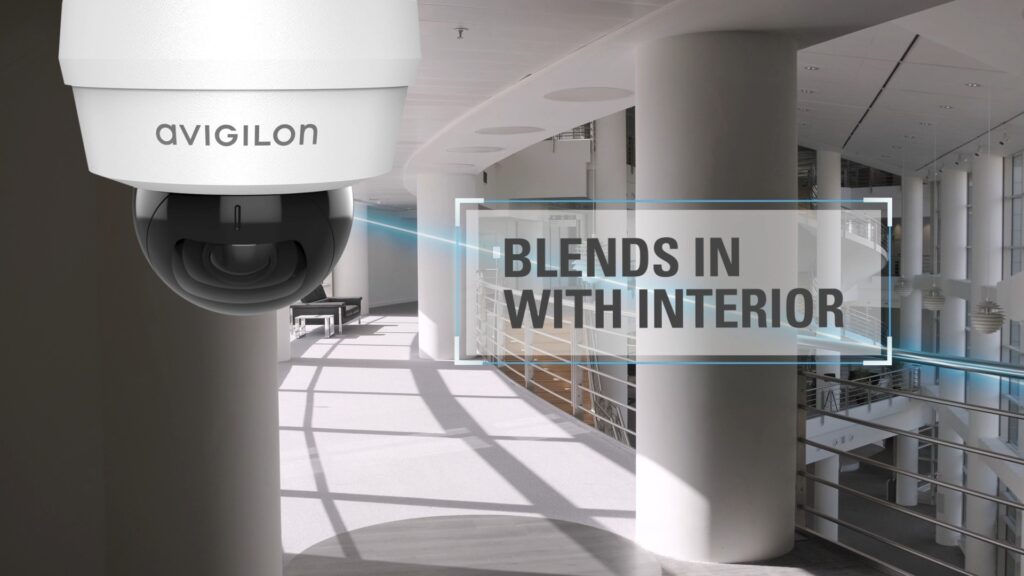
Camera form factor should follow the scene and the operating need. Fixed dome, turret, and bullet cameras provide consistent views. Multisensor and panoramic cameras can cover several directions from one mounting point. Pan-tilt-zoom cameras support active observation but should not be treated as if they watch every direction at once. Thermal cameras may help detect heat signatures where visible-light imaging is unreliable, while specialized housings may be required for harsh or hazardous environments.
- Confirm the horizontal and vertical field of view.
- Check mounting height, service access, vibration, weather, and vandal exposure.
- Test backlighting, glare, headlights, darkness, and changing shadows.
- Define whether audio is required and whether its use is legally and operationally appropriate.
- Plan for privacy masking anywhere video should not be collected.
Plan Lighting, Network Capacity, Power, and Storage
Video quality depends on the entire path from the scene to the operator. Document existing lighting, available cable routes, network closets, switch capacity, power-over-Ethernet budgets, fiber needs, wireless limitations, surge protection, backup power, and the effect of a network or internet interruption. Coordinate requirements with the organization’s IT team before selecting equipment.
Retention should be based on investigation timelines and policy, not a round number. Estimate storage using camera count, resolution, frame rate, compression, scene activity, recording mode, redundancy, and expected growth. Decide whether recording will be local, centralized, cloud-managed, edge-based, or hybrid, and confirm what remains available during an outage.
Define Analytics and Response Workflows
Analytics are valuable when they support a defined action. Person or vehicle classification, line crossing, loitering, object detection, license-plate recognition, and forensic search can reduce review time, but every use case needs a documented trigger, schedule, response, responsible operator, and test method.
- What event should create an alert?
- Who receives it, and during which hours?
- What live or recorded views should appear?
- What conditions require a call, dispatch, announcement, or internal escalation?
- How will nuisance alerts be measured and corrected?
Remote monitoring, access-control events, intrusion alarms, intercom calls, and video can share useful context, but integration should solve a real workflow rather than add complexity for its own sake.
Protect Privacy, Cybersecurity, and Ownership
Define who may view live video, search recordings, export clips, change settings, or administer users. Establish retention, evidence-handling, privacy, and audit rules with the appropriate legal and compliance stakeholders. Review encryption, multifactor authentication, account recovery, network segmentation, patching, remote support, backups, logging, and device lifecycle.
Confirm that the customer owns or controls administrator accounts, cloud tenants, licenses, configuration records, camera schedules, drawings, passwords, exported evidence, and service documentation. Ask how data can be retrieved and how another qualified provider could support the system later.
Prepare for Implementation and Acceptance
A complete project brief should include an approved camera schedule, marked plans, network and power requirements, recording architecture, retention targets, user roles, alert workflows, integration points, site constraints, and a written acceptance test. Occupied facilities may also require escorts, lift access, production coordination, traffic control, temporary coverage, and restricted work windows.
Acceptance testing should use real scenes and expected operating conditions. Verify every required view by day and night, playback quality, retention, search, export, time synchronization, user permissions, mobile or remote access, alerts, integrations, outage behavior, and recovery. Require administrator training, final drawings, camera names, network records, warranty details, and a documented support path before closeout.
Compare Proposals on the Same Basis
Price comparisons are meaningful only when proposals address the same scenes, image-detail requirements, retention, workflows, infrastructure, and deliverables. Separate one-time project costs from recurring cloud, cellular, software, licensing, monitoring, and support charges. Ask how future cameras, locations, storage, users, and integrations will affect cost.
- Are every camera, view, lens, mounting condition, and assumption identified?
- Are bandwidth, power, storage, retention, and outage behavior documented?
- Are analytics tied to specific response workflows?
- Are testing, training, drawings, labeling, and closeout records included?
- Are warranty, service, recurring fees, data access, and ownership terms clear?
Video Surveillance Planning Questions
How many cameras does a property need?
The answer depends on the required views and image detail, not square footage alone. A verified survey and camera schedule should establish the count.
Can existing cameras or cabling be reused?
Sometimes. Compatibility, condition, bandwidth, power, cybersecurity, support status, and the required image quality should be verified before reuse is included in the plan.
Should recording be on-site or cloud-managed?
Compare internet dependence, local resilience, cybersecurity policy, administration, scalability, retention, recurring cost, and multi-site needs. Hybrid designs may combine local recording with cloud management or selected off-site services.
Move From Planning to a Property-Specific Assessment
This page is an early-stage planning resource. For commercial and industrial video-surveillance design, implementation, monitoring, upgrades, service, and local availability, continue to Northeast Remote Surveillance and Alarm, LLC.