
Many commercial properties use several security technologies that were installed at different times by different providers. Cameras may operate through one application, access control through another, intrusion alarms through a separate keypad, and intercom or monitoring services through additional platforms.
Each system may work independently, but the business can still struggle to understand what happened during an incident.
Unified security planning helps bring related information together so authorized personnel can review events faster, manage systems more consistently, and reduce the operational gaps created by disconnected platforms.
For complete commercial design, integration, upgrades, and centralized system planning, visit Unified and Integrated Commercial Security Systems.
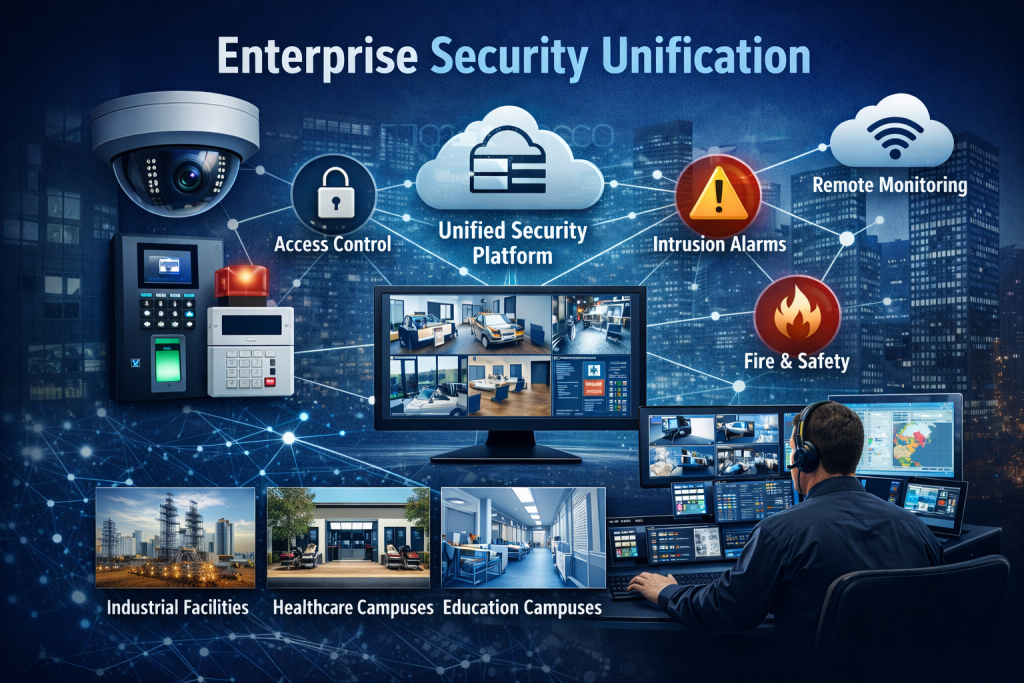
What Is a Unified Security System?
A unified security system coordinates multiple physical-security technologies through a common operating structure.
Depending on the property and selected platform, this may include:
- Video surveillance
- Access control
- Intrusion alarms
- Intercom and visitor entry
- Remote video monitoring
- Vehicle gates
- Security analytics
- System-health information
- Multi-site administration
- Supporting network infrastructure
The purpose is not simply to place several applications on the same computer.
A useful unified system allows information from one security function to provide context for another. An access-control event may be associated with nearby video. An intrusion alarm may display the relevant camera view. A visitor-entry request may combine audio, video, and an approved door-release command.
Integration and Unification Are Not Always the Same
Security integration usually means connecting two or more systems so they can exchange selected commands or events.
Examples include:
- Displaying video after a forced-door event
- Unlocking an approved door from an intercom
- Activating a camera view after an alarm
- Associating a credential event with recorded footage
Unification goes further by providing a more consistent management environment for users, events, permissions, reporting, and system operation.
A fully unified platform is not required for every business. Some properties benefit from targeted integration between specific systems. Others need centralized administration across several buildings, departments, or locations.
The correct approach depends on the operating requirements—not on using the greatest possible number of integrations.
Faster Incident Review
Disconnected systems force managers to reconstruct incidents manually.
They may need to:
- Review an alarm event in one application.
- Identify the affected door or zone.
- Open a separate video platform.
- Search for the correct camera.
- Match timestamps manually.
- Review access records in another system.
- Contact additional personnel for context.
A coordinated system may reduce those steps by associating related events.
This can help authorized users review:
- Forced doors
- Doors held open
- Denied credentials
- After-hours entry
- Intrusion alarms
- Visitor releases
- Vehicle-gate activity
- Perimeter events
- Suspicious movement
- Equipment or storage-area incidents
The result should be clearer information and faster review—not an overwhelming number of alerts.
Video Surveillance and Access Control
Video surveillance and access control are commonly coordinated because access records do not tell the complete story.
A system may record that a credential was accepted, but that event does not independently prove:
- Who physically used the credential
- Whether another person followed through the door
- What happened near the entrance
- Whether the door closed afterward
- Whether a vehicle or delivery was involved
A nearby camera can provide visual context for the access event.
Compatible systems may help authorized users review:
- Access granted
- Access denied
- Door forced open
- Door held open
- After-hours entry
- Employee entrances
- Restricted-room activity
- Visitor or contractor access
Camera placement, door monitoring, accurate timestamps, user permissions, and reliable recording are all necessary for the integration to remain useful.
Intrusion Alarms and Video Verification
An intrusion alarm identifies activity or a change in a protected area. Video may help determine what caused it.
Depending on the system and monitoring arrangement, video verification can help distinguish between:
- A person entering a protected area
- An animal
- Weather-related movement
- Normal employee activity
- A delivery
- Equipment movement
- An actual intrusion concern
This additional context may support more informed response decisions.
Video verification does not guarantee that every alarm can be confirmed. Camera coverage, lighting, network availability, recording condition, system configuration, and event timing all affect what can be reviewed.
Intercoms, Visitor Entry, and Remote Release
Visitor-entry systems may coordinate:
- Audio communication
- Video verification
- Reception answering
- Mobile answering
- Access control
- Door release
- Gate release
- Nearby camera views
- After-hours call routing
The workflow should clearly establish who may answer calls and who is authorized to release each opening.
A convenient release command should never bypass required security procedures, emergency egress, gate-safety functions, or life-safety requirements.
Multi-Site Security Management
Organizations with several locations often develop inconsistent security environments.
Different sites may use:
- Separate camera platforms
- Different credential technologies
- Multiple alarm providers
- Inconsistent user names
- Shared administrator accounts
- Different retention periods
- Outdated contact lists
- Unsupported controllers or recorders
- Separate mobile applications
- Incomplete system documentation
A unified or centrally managed approach may help establish:
- Consistent user administration
- Location-specific permissions
- Standard device naming
- Central event review
- Coordinated system-health reporting
- Common service procedures
- Customer-owned accounts
- Equipment inventories
- Upgrade priorities
- Lifecycle planning
Every location does not need to be replaced at once. Existing systems may sometimes be retained while the organization develops a phased standardization plan.
Network and Infrastructure Requirements
Unified security systems depend heavily on reliable infrastructure.
That may include:
- Structured cabling
- Fiber-optic links
- PoE network switches
- Servers or cloud gateways
- Wireless bridges
- Network segmentation
- Power supplies
- Backup batteries
- UPS equipment
- Secure remote access
- Equipment racks
- Device labeling
- System documentation
Poor infrastructure can cause camera dropouts, controller communication failures, slow video retrieval, unreliable intercom operation, and repeated system outages.
The network and power architecture should be evaluated as part of the security system rather than treated as an unrelated IT concern.
Account Ownership and Cybersecurity
Centralized systems may provide access to sensitive information, including:
- Live and recorded video
- Employee names
- Door permissions
- Credential records
- Alarm events
- Facility schedules
- Building layouts
- Administrative settings
Businesses should establish:
- Customer ownership of primary accounts
- Individual user accounts
- Role-based permissions
- Multi-factor authentication where supported
- Removal of former users
- Limited provider access
- Secure password recovery
- Audit-log review
- Network segmentation
- Software and firmware planning
A unified platform can simplify administration, but centralization also makes account security more important.
Can Existing Systems Be Unified?
Sometimes.
An existing-system assessment may review:
- Camera compatibility
- Recorder and video-platform support
- Access-control controllers
- Reader technology
- Alarm panels
- Intercom equipment
- Software versions
- Licensing
- Network architecture
- Administrative access
- Account ownership
- Manufacturer support
- Available integrations
Some systems can be connected or centrally managed through software changes, gateways, or approved integrations.
Other equipment may be too old, proprietary, unsupported, inaccessible, or incompatible with the desired operating structure.
The objective should be to retain dependable equipment where practical while correcting the components that prevent reliable management or integration.
When Unified Security Makes Sense
A business may benefit from unified security planning when:
- Employees use several separate security applications
- Incidents require time-consuming manual investigation
- Multiple locations use inconsistent systems
- Access events need video context
- Alarm verification is difficult
- Administrator accounts are unclear
- User removal is inconsistent
- System-health visibility is limited
- Equipment has been inherited through acquisitions
- The organization expects to expand
- Security reporting is difficult to produce
A smaller business may only need targeted coordination between cameras, access control, and alarms.
A large warehouse, manufacturing campus, healthcare network, school district, municipality, or multi-site organization may benefit from a broader centralized architecture.
Questions to Answer Before Unifying Systems
Before selecting a platform or integration strategy, determine:
- Which systems need to share information
- Which events require video context
- Who will operate the unified interface
- Which users require access
- Which locations will be included
- Which existing equipment may be retained
- Who owns the primary accounts
- What continues operating during network outages
- Which subscriptions or licenses recur
- How records can be exported
- How system health will be monitored
- How future locations will be added
A unified system should make security operations clearer and more dependable. It should not create unnecessary complexity merely to place every device under one interface.
Build Around Operations, Not Technology
The strongest unified security design begins with the organization’s actual operating procedures.
The business should identify:
- Which incidents require investigation
- Which doors and areas are most important
- How alarms are handled
- Who approves access
- Who reviews video
- How visitors are admitted
- How after-hours events are escalated
- Which systems require life-safety coordination
- How several locations should be administered
- What documentation and reporting are required
Technology should support those procedures.
For complete commercial security unification, integration, multi-site management, platform upgrades, and infrastructure planning, continue to Unified and Integrated Commercial Security Systems.
Call 1-888-344-3846 to request a commercial unified-security assessment.